Showing posts with label Tech. Show all posts

Saturday, April 12, 2014

How cell affects the academic performance of your children


In addition to keeping young people in direct contact with your friends, the cell phone can distract them from their duties and take away useful time. Recent studies inquired about how this affects academic performance. I know the results in this paper

Years ago that cell phones are part of everyday life in a profound way. It is even impossible to imagine how we could live today without a device of this type. In this context, young people also make heavy use of this communication technology all the time and, although they may be useful for the study by the benefits it provides, can also affect school obligations.

Cell phones, in this sense, are a double-edged sword : on one hand, can serve as a study tool with applications and offering immediate access to the Internet. However, recent studies show that these technological devices can distract youth from their academic obligations and take away time that could be applied in school or college.

Research from the University of Kent , Ohio (USA) revealed that young people spend an average of 279 minutes per day using different functions of cell phones; that is, about five hours a day using these devices. Also, send about 77 text messages, not including the hours teens spend listening to music through these devices.

As part of the study, whose results were published in the February issue of Computers in Human Behavior , participants allowed the researchers access to grades and, in turn, responded to questions about the level of happiness they felt. Thus, it was concluded that cell uses many hours negatively affected academic performance, without contributing to a sense of wellbeing by users.

Useful Tips

First, it is necessary to identify the reasons that lead young people to make intensive use of these devices . Usually the causes are boredom, anxiety or loneliness. Given this, experts recommend looking for another way to ease these feelings. Playing sports, exercising, taking walks and encouraging reading may be the solution to reducing the intensive use of this equipment.

Moreover, it is essential to disconnect during school hours and at the time, set goals. In this sense, it is not necessary to review the cell permanently: you can start checking every 15 minutes, then every 30, and so gradually. Set " prohibited areas "also will reduce phone use: establish areas in which the device is used as the dining table and study room, among others.
Continue Reading...

Saturday, April 05, 2014

How to Using the electronic cigarette

The electronic cigarette is a device that has evolved considerably in recent years, currently on the market one type of cigarette much more effective for smoking cessation which is composed of three parts: a battery with manual switch, claromizador and a nozzle with cap. Below we will explain in detail the steps required to use the electronic cigarette .


Instructions

  • The first step in using the electronic cigarette is charging the battery:


  1. Desenroca battery electronic cigarette claromizador, turning gently in the opposite direction of clockwise.
  2. Leave aside the claromizador and nozzle for later.
  3. Screw the battery, turning clockwise clock in the USB charger that came with the kit.
  4. Connect the charger to the wall socket charger.
  5. Connect the wall plug to the grid. At the start of loading the contact button battery blue LED will flash a few seconds. The LED indicator USB charger appears red while charging, and turns green when charging is complete.
  6. Once fully charged again tighten the battery claromizador .
  7. To lock press the contact button battery 5 times quickly and continuously (for 10 seconds), flashing blue LED indicates that the battery goes idle at that time.
  8. To switch back and unlock, press the contact button battery 5 times quickly and continuously (for 10 seconds). The flashing blue LED will indicate that the battery is ready for operation.

  • The next step to properly use the electronic cigarette is put in charge of liquid Claromizador , the steps are:


  1. Claromizador unscrews the battery. And Keep it upright on a flat surface.
  2. Unscrewing the nozzle upper claromizador to open.
  3. Choose the e-liquid to fill and remove the safety cap pressing and turning at the same time. Tilt the claromizador slightly at an angle of 45 degrees while slowly pour the liquid directly on the inner walls of the bottle dropper of liquid. Stuffed the desired amount of liquid to a maximum of 1.6ml.
  4. Screw the nozzle back in claromizador to close.
  5. Let stand a few minutes upright.
  6. Very important that you read the articles there at the end of articles on aspects on how to use the claromizador.
  • After preparing the electronic cigarette with claromizador and load can already start using it . Here are step by step how to use them:
  1. After charging the battery and the claromizador filled with liquid, screw the battery and the nozzle to claromizador.
  2. Remove the plastic cap from the nozzle.
  3. Unlock the battery. Pressing the button battery contact, you should note that the blue LED lights of this and driven atomizer is heard.
  4. While holding down the button battery contact, mouth slowly inhaled the steam produced in the claromizador.
  5. Release the button battery contact, enjoy the flavor of the vapor in your mouth and slowly expel it through the mouth or nose.
  6. Repeat the operation after a few minutes, remember not breathing hard or fast.
  7. To this action is called vaping.
  8. It is important that inhalation is not too frequent and that aspiration is not excessive, it is recommended to rest the device a few minutes between inhalation and inhalation. The claromizadores are consumables and as such are not covered by warranty. The USB and wall plug chargers have 2 years warranty . Batteries have 6 months warranty.
To read more articles like using the electronic cigarette , we recommend you enter our category of How to.

Advice

  1. Be careful not to spill liquid into the central part of the tube claromizador.
  2. No liquid exceeds 1.6 ml mark the upper limit or cap white.
  3. Avoid splashing and wash surfaces in contact with soap and water, avoiding contact of liquid with skin and mucous membranes.
  4. Fill in claromizador when the load is less than 0.6ml, when steam gradually fade, or when you want to change the flavor. A charge of 1.6 ml equivalent to 800 vapeos.
  5. Cleaning and reusing claromizadores is not recommended.
  6. Change notes claromizador when it loses power in the vaping, if you notice a strange taste or if you notice any leakage of liquid in the bottom. Each claromizador has a lifespan of about 10 loads, representing 1-2 weeks of vaping. Advised claromizadores extras as needed. For hygiene always keep claromizador nozzle with plastic cap position. Always keep the claromizador tightly closed by the nozzle upright.
  7. When the button battery contact is released, the device stops working and no steam. It is recommended not to operate the device without liquid in the claromizador.
Continue Reading...

Thursday, April 03, 2014

How to clean your mobile screen

The mobile screen , especially when it is a smartphone touch, much stained with fat fingers. There is another dirt unseen. Numerous bacteria, also through hands reach the screen, at some point come near to the mouth when talking on the phone. To help maintain the hygiene in Get Easy Tips we give you some tips on how to clean your mobile screen.

clean your mobile screen

Instructions 


  • We start with what you should not do. It is not recommended to use tap water, especially if you live in a limestone area because ultimately the lime would permeate the screen again . Alcohol and cleaner, whether on sale, are too aggressive for the screen.
  • Ideally acquire a specific liquid, you'll find computer shops or department stores, which have additives that can damage the screen of your phone.
  • To apply, you do not reuse toilet paper or napkins, because they can scratch the surface of your phone . It is best that you use swabs. Its cotton tip is designed not to damage the inside of the ears and therefore act with delicacy in your smartphone. microfiche A small cloth may also be useful, because they leave lint.
  • Another option is to buy a pack of liquid screens of computers with a small sponge to apply it.
  • When applying the cleaner, soak the swab, cloth or sponge and let it drip for the screen does not receive too much fluid. Then, gently apply it over the entire surface of the screen, but no trace or rub excessively.
  • It hurts you to do this operation on a daily basis, especially if you are someone who does not come off your smartphone.


Advice

Never clean your mobile screen while connected to the mains. Preferably, the phone must be off.


Continue Reading...

10 essential programs for the PC

We made ​​a list of 10 essential programs that are useful in day to day to browse the internet quickly edit an image, protected against virtual threats or simply to quickly open a pdf file.

Essential programs for the PC

Skype 

Microsoft's Messenger. Though alternatives exist, the program is consolidated as the best in the category. 
>> Download Skype 

MV Reg Clean 

Despite having the Glary Utilities (see below) which also cleans the registry, this program is better, doing a deep clean registry and deleting invalid entries and improving computer performance. 

Avast Antivirus 

Avast is one of the most popular  antivirus programs  in the market. Completely Free, Avast  has always been one of the best solutions to  put a barrier to our security threats such as viruses, malware and spyware. 

>> Download Avast Antivirus 

Nero 

does very well what to do, which is usually the recording CD / DVDs and audio data.

>> Nero Download 

WinRar 

File Extractor and Compactor . It is a legend of computing and has a simple and intuitive interface. It is essential to any PC. Firefox Portable Simply the best web browser. With many options for customization as well as being quick and efficient navigation. 
>> Download WinRar 

Glary Utilities 

Good program to clean and easy to use, ideal for everyday use, to improve the performance of your PC. 
 >>Glary Utilities Download

Photo Filter 

Excellent program, light and with many options to work on the editing. Obviously it does not compare to a Photoshop , but for mere mortals who do not speak or even ever used Photoshop, is useful. 
Foxit PDF Reader program much faster than Acrobat Reader for PDF files lecturade. Install and test what you say. 
>> Download Foxit PDF Reader 

K-Lite Codec Pack package with many Codecs . After installation you can run most existing audio and video. 
>>Download K-Lite Codec Pack 
Continue Reading...

Wednesday, April 02, 2014

17 Myths about computers

You thought few weird things we do while using the computer? Some make sense, however others are pure myth , which leads us to behave in the wrong way in front of the PC. 


Below, we list several situations where myths are very present in our behavior:

1. Bad for the computer have magnets glued to the CPU? 

False! There is no problem with the CPU, but if it happens with the monitor, it alters its colors . Avoid, at all costs, electromagnetic devices placed near the monitors, as the colors may become permanently altered. 

2. Push the tray CD / DVD with your finger to insert the CPU is bad? False! Nothing to see . Nothing will happen to the drive CD / DVD if you push the tray with a normal force. It was developed exactly for that. 

3. Spilling water or coffee on the keyboard can ruin? True! metallic contacts under the keys are in decline. You can create a short circuit and stop working. 

4. It is necessary to have space between the monitor and the back wall? False! The monitor is not a refrigerator . The atmosphere in general, should be ventilated, but is not essential that there is a great distance. It is much worse to have another monitor back (as happens in many offices) that may be a risk of interference. 

5. Once the computer was connected all night all, it is better to turn it off and on again? False! It is possible to keep on with no problem . Appearances to the contrary, you make me want to turn it off to rest, following human logic, the hard drive lasts longer if it stays on, if you're all the time on and off. As a matter of energy conservation, we should not leave the PC turned on several days, though, if we did not consider the factor of global warming, it would be much better for the PC that never turn off. They were created for that. 

6. Damages the PC have some cell phone Nearby False! No problem , at best, an interference caused by the phone . speaker in 

7. After turning off the computer is better to wait a few seconds before turning it back on? True! You should wait at least 10 seconds before turning it back on . 

8. Move the CPU when the computer is on may damage the hard drive? False! Centrifugal force that rotates the hard drive is so great that nothing happens when the CPU moves. Much less, if this is a notebook, because they were created for that. 

9. For the sake of the monitor is convenient to use screen saver when not in use? True! Because screensaver makes colors uniformly display wear. When images constantly renewed, is not spent in one place. 

10. It is not appropriate to look at the red light beneath the optical mouse? True! 're not gonna go blind, but being a fairly strong light can damage the retina. 

11. In the notebooks must first connect the power cord to the computer and only then to the electrical outlet? False! It's the same . Almost all modern laptops have anti short circuit protection and are multi-voltage, can be connected to voltages from 90 to 240 volts, being extremely stable. 

12. Turning off the computer should also disconnect the monitor? False! Equals. Disconnecting the CPU, the monitor is (near 1W, almost nothing) in a state that consumes very little power and does not suffer any wear. The decision ends up being a function of the economy, although consumption is very minimal. 

13. The computer should never be exposed to the sun? True? If the computer hotter than usual, life tends to decrease. So it's never a good idea to install the PC near a sunny window paste. 

14. If more than 80% of the hard drive is used, the PC becomes slower? True! 's always a question of percentage. However much you have 20 Gb free, if less than 20% of disk capacity, the operation of the computer will be slower. 

15. The desktop full of icons makes the PC run slow ! True Whether They are icons of programs or files. What happens is that the video card in the PC constantly renews the information displayed on the monitor, and the more icons, more time. 

16. Do not remove a pen-drive without stopping the service? True! must be selected the 'Safely Remove Hardware' before removing. Otherwise, you run the risk of burning the USB memory device. 

17. Turn off the PC directly to the button without it by the operating system, can damage the hard drive? True! The hard drive can burn to be off while reading or writing. When suddenly shuts off, the plates covering the disk (which rotates up to 10,000 rpm) descend upon him. Upon selecting 'Hide' option, the entire system is prepared to stand and suspend all activities . Each piece will be in its proper place. 
Continue Reading...

7 Things you should not do with your computer

Most computers have a long shelf life, but if used improperly, things can change. 's why in this article we give you some tips so that your computer does not run any . risk 

Things you should not do with your computer

7 Things you should not do: 


1. Never turn off the computer while it is running. should first close all programs and then proceed to shutdown indicated generally "Start -> Shut Down" . Shutdown computer incorrectly can cause problems , since the operating systems need to close all programs and store all documents and system files. 

2. Do not delete unknown files . Many people spend a lot of time deleting folders and files, a good method for cleaning and free up disk space. This "cleansing" should not be random , as there are files that fulfill functions indispensable to the proper functioning of the programs and some hardware, delete could cause big problems. 

3. Never install dubious programs. Pirates softwares, copied, or of unknown origin is often the virus that can wreak havoc on your computer, often reaching complete disablement of your PC. Before downloading a program and from the installation, it is advisable to perform a security scanning. To scan any new software, you simply need to right click on the file or folder and select Scan with Norton, AVG or security program installed on your computer. 

4. Do not format the hard drive. absolutely This action erases all stored information and should only be done if really necessary, such as in the case of some very complicated to extract the virus has infected the disk. Recalls make copies of your information before formatting and that it be performed by a qualified technician. 

5. Never install a new program without creating a restore point. Having analyzed the software, you must define a restore point , so if the new program generates disadvantages may recover all information through a system restore. 

6. Do not forget to check the antivirus program weekly. 's Best perform a full, deep scan, better known as "Full" and check weekly or daily updates, schedule the antivirus so that it automatically made ​​. 

7. Never use the CD tray and carrying objects. It may seem crazy, but there are people who use it for that purpose. Actually it is not recommended directly eat, drink and much less smoke while operating the machine. Food can attract crumbs can get into the keyboard, mouse, or altering the CPU operation, liquids can cause damage far worse than those caused by solid and snuff smoke can delay the inner workings of the fans generating faults in the components.
Continue Reading...

How to recover videos from a damaged CD or DVD?

Since the digitization of content has become commonplace in the life of any human being, CDs and DVDs are the means of storage for all our memories. Yet these media may be damaged. Get My Videos Back helps you recover videos quickly and easily. 

has not happened many times we have wished to see again the familiar video that we like, and we find that the optical medium in which we store was damaged. Worst of all is that surely have not made ​​a backup copy of the material , even though we know conclusively that the CDs and DVDs are at risk of becoming defective and illegible over time , primarily due to misuse, storage deficient and normal wear and tear.

recover videos from a damaged CD or DVD?


If this happens we should not panic, as there are applications that allow us to recover the contents of this type of damaged media . Such is the case of Get My Videos Back , which as its name suggests is responsible for retrieving video files from CDs and DVDs that do not work. 

It is a free application, which works by analyzing bit by bit data contained in scratched or damaged discs. Once you make the assessment for the missing to play the video data, the program performs a patch that will allow us to recover the material. For the optical medium is too damaged, at least the application will retrieve the fragments of video that can be played. Get My Videos Back is a free application , and distributed under license Freeware, and is available for the Windows operating system. You can find the tool and download it at the following link: http://gmvb.thomace.com/index.php?page=downloads


Continue Reading...

How to know the serial number of our PC

One of the elements that we must always have on hand in case our laptop or desktop computer have a problem and have to call technical support is the serial number. This number is essential for whoever is on the other side of the phone to take the claim. Though obtain this number in a notebook or netbook is easy, it becomes a problem with the PC desktop. 

know the serial number of our PC


For that we use a laptop, the issue boils down to turning the machine and find the field you will surely find the serial number . But it is not so easy if you have a team, especially the older desktop, where this number is much harder to find by the weight and size of this type of computer. Fortunately we have at our disposal a method much more easy to find the serial number of the PC without having to slide down under the desk. 

To do this: 

1. Run the command prompt ( Start> Run> Type in CMD followed by ENTER ) and type the following command: wmic bios get serial number

 2. To find the model type of our team, wrote the following: wmic cs product get name, we IdentifyingNumber An alternative that can also help us to find the model number of the system is to use the tool "System Information" , which we can find in "All Programs> Accessories> System Tools."
Continue Reading...

5 Free Websites for Logo Design

In this article we will review the characteristics of 5 free websites to design our logo completely online without downloading any application for it. These services will allow us to design excellent logos with professional quality, which we can use to our company or project for free.

LogoMaker

LogoMaker is a web application for free that will help you design an attractive logo for our card, company or project. Completely free, we can use this application to the design of our corporate logo and make it ready for use in any graphics application .

Websites for Logo Design

One of the best features of LogoMaker is the possibility it offers to create and save up to six different logo designs. Application is very simple to use , we only make three simple steps: 1. Select the icon that best fits our field of trade. Notably, the application provides users thousands of icons classified in different classes , so do the fonts we use in our design. 2. LogoMaker allows us, through its built-in tools, customize the icon of the selected logo, resize it, rotate it or change its color to conform to the rest of the design. 3. Download the logo . To do this we must be registered with the system. http://logomaker.com/


Logoease 

Logoease is another service for creating logos . Owner of a simple and intuitive design, the interface allows you to create your own logo in minutes.

Websites for Logo Design


This application has the particularity to give us multiple files in different formats such as eps, png, jpg and tiff ready to use for web and print. It also includes illustrations in vector format.  

Note that we can save and download up to 10 variations of the logo we designed that differ by the range of colors used. http://www.logoease.com CoolText CoolText is also a free software that allows you to create beautiful designs logo for our projects, very simple to use and we offer very professional results .

Websites for Logo Design

The application does not require any registration or registration to use, just select the graphics you want for our logo and move on. Once you access the site, we can observe a number of basic designs, which can be used to start, from there the system will take you to the page where you can customize the layout and add text to the logo. We will also be in a position to change the text font, color scheme or change its size according to the arrangement that we select for printing. Once we completed with the design, the only thing left is qye select the file format in which we want to keep our logo. http://cooltext.com/ LogoDesignEngine LogoDesignEngine is an application that offers its users the ability to create highly professional designs for logo promotional material signature.

Websites for Logo Design

To use their services, we must follow these steps: 

1. Select the design template from the application directory.

2. Select fonts and colors and in seconds the logo of our company is ready for download. Notably, the application is very compact and fast, and also very easy to use, allowing us to create logos in minutes for any use . http://www.logodesignengine.com/ logosnap.Logosnap is the perfect application for all those users who need quick and professional-looking results , and also offers a three-step interface, allowing us to get what we need very quickly.

Websites for Logo Design

The system offers thousands of symbols and fonts ready to create our logo sorted and categorized. Notably logo snap also allows us, by opening a free account on the site, save our designs on your platform. The Designs can be downloaded in EPS, PNG and JPG formats, ideal for printing professional, desktop publishing and web design. http://www.logosnap.com/

Continue Reading...

Turn a photo into a drawing in seconds

With the increasing use of images to give dynamism to websites and profiles on social media , coupled with the ease that we now offer digital cameras and mobile devices for when pictures themselves, grow also the concerns of users to achieve originality in its publications , for which editors frequently use images with effects that transform their personal photos. 

But the truth is that many of these tools can result in some very complicated cases , especially for those inexperienced in the field of design and editing users , and that's when the front of the screen to find complex programs like Photoshop , the end We decided not to continue the transformation of the image in question

Turn a photo into a drawing in seconds


But what if we have a fast and efficient tool that allows us to convert a photo into a pencil drawing done? Now this is possible, and it is therefore not necessary to have advanced skills in editing , and best of all is that the application in question is free .

We're talking about Instant Photo Sketch , a tool that stands out for being really simple and easy to use, and in a few simple steps allows us to quickly create a drawing in pen, based on a photograph .

Turn a photo into a drawing in seconds


The truth is that with Instant Photo Sketch artists we will not yet be able to boast with pencil drawing obtained based on any picture, and it is best that this is a process that we require only a few seconds .

To do this, the first thing to do is download the program from this link . There you can find the same two options, one payment, Instant Photo Sketch Pro, and a free , although they do not have all the functionality of the payment, the truth is that it gives us a great choice.

Turn a photo into a drawing in seconds


Once installed Instant Photo Sketch in our PC, we only load the image you want to convert in drawing from the "File" menu. Then we just click on the "Process" button to get the result instantly. Also, if we want to improve the final appearance of the drawing, the application offers an easy way to change the colors in the image , through two sliders allow you to adjust to our taste intensity white and black.

Turn a photo into a drawing in seconds


When we find and with the results, we only save the photo turned into drawing, choosing between JPG or PNG formats . From there, as we can share with our friends, or if you want to print the image on photographic paper to place in a closeup, something that can also turn into a great gift .

In conclusion, we must say that Instant Photo Sketch is a really simple to use application that can be used by any user, even novice, and whose free version includes the ability to adjust the black and white colors to achieve the best result . Sure its great advantage is also delivering images in JPG and PNG format, as used today. But above all, their main features are, on the one hand it consumes scarce resources, since it is a small application, and on the other side is free.

Have you tried this app? What has been you?
Continue Reading...

Tips for Eye Care when working in front of the computer monitor

Tips and steps to take to care for our eyes and mitigate the effects caused by continuous exposure to monitor over our eyes.

Eye Care

Caring for your eyes if you work against PC


Working long time in front of the PC monitor brings many problems like headache, eyestrain, dry eyes by reducing the frequency of blinking, eye redness, blurred vision, burning or eye itching, heaviness, tearing.

The new monitors LCD significantly reduce these harmful effects on the eyes because they emit less radiation harmful to the eye, but with a definition picture quality and lower colors.

However, difficulties arise and they need to follow some Tips for caring for our eyes .

  • Use filters radiation shield and anti-reflection in the old picture tube monitors.
  • Make short breaks home 30 minutes focusing your eyes on distant objects for a few seconds.
  • Keep wet intensifying eye blinking or using eye drops to prevent the eye from drying out.
  • Place the monitor at a distance of 50 cm and below the eye line. When our visual system focuses closely, it does so with more efficiency and comfort when the gaze is directed downward.
  • Adjust the resolution to read effortlessly at that distance.
  • Lowering the contrast level from the monitor menu drastically reduces the emission of harmful rays on our eyes.
  • The ambient light should be larger than the screen, it is advised that the ambient light is only three times larger than the screen.
Continue Reading...

How to choose a web camera and buy the best.

Connect with your friends or family is not that difficult if you have a webcam, but before you buy, check out these tips.

web camera

Tips when buying a webcam

Today it is very common to have a webcam to communicate with friends or family chat , Messenger, etc. If you are looking for a guide to how you should keep in mind to choose a webcam that will not disappoint, here's some advice.

Resolution
Traditional web cameras usually have a resolution of 1.0 and 1.3 megapixels , much less than digital cameras or videographers, but be aware that this information must travel smoothly through the Internet, so a resolution of 1.3 megapixels will have sufficient resolution to have an image of acceptable quality.

Frames per second or FPS
When used for video, the FPS (Frame per second) is the number of frames per second that the camera can capture. If you want to avoid a flickering effect chose a webcam above 24 FPS, since that is the amount of FPS from which the human eye sees as continuous playback. The minimum is 15FPS. 
Additionally, if you used the webcam to communicate the speaking, in addition to images, you'll need a microphone , webcam if I do not need to buy it separately included.

Portability and compatibility
Portability: Some webcams can store photos or record video disconnected from the PC. This can be an interesting feature. 
Compatibility: Check the webcam is compatible with the ports on your PC, your operating system and you have the amount of RAM required by webcam (recommend you take notes of these data and take the time of purchase).

Software and drivers

Drivers: Ask if the webcam requires drivers special for your operating system and if these come with the webcam, question how to obtain otherwise. 

Software: If possible, you should bring some webcam software to edit your pictures or videos.

Note: . A final important point, controls the webcam comes with a gripping mechanism that is comfortable and that allows you to place it comfortably on your desktop 

may have many tips you dizzy, but to avoid mistakes when buying a webcam , you have to be knowledgeable.
Continue Reading...

How to clean your computer keyboard

Simple steps and care to keep in mind when cleaning the keyboard of your computer.

clean your computer keyboard

Clean a keyboard without opening

The keyboard of the computer is easily comparable with a carpet on the extent of absorption of dirt, dust and all kinds of particles that swarm the air.

Before starting the process of cleaning the keyboard , it is important to turn off the computer and disconnect the keyboard, except that in this way will be more comfortable working, and it is essential for safety reasons.

As a first step, we must turn the keyboard and shake gently. We will see as we start to drop a significant amount of dust, crumbs and dirt of all kinds.

When no longer falls around, we can move to the next phase of cleaning the keyboard, the keys and especially the sides. To do this with a cotton swab or toothpick with a cotton tip soaked in alcohol and proceed to remove stains and dark dust that has accumulated over the keys.

For a more thorough cleaning of your computer keyboard, you can use some special chemical cleaning computer such as the LEM foam sold in any electronics store.
Continue Reading...

How to install Whatsapp on my Android tablet

WhatsappStar is instant messaging application for smartphones. This has revolutionized the world of communication in a short time, but enjoy it so far confined to the world of mobile intelligences.Recientemente different ways have emerged that now allow a use in other devices such as a PC or a tablet. In this article we will see how to install Whatsapp on my Android tablet .

Whatsapp on my Android tablet

Instructions


  • We can try to install the Whatsapp application on any Android tablet we have, but if this method works on some and not others are given. On this page is making an inventory of the tablets in that worked and those that do not, so we can see if our tablet is among the works in this link .
  • The next step is to unburden the application Go Contacts EX and install it on our tablet. This application will get it on Google Play. If Go Contacts Ex is not compatible with our tablet, we could solve it using an Android phone and it Download  App Backup & Restore App .
  • With App Backup & Restore App and downloaded, click in the tab Installed and select the Go Contacts Ex We return to Backup & Restore App, application under section Archived select Go contact and leaving selected we choose Send.
  • Now put an email address that will access the following from the tablet. What we have done above is to send the application Ex Go to our contact as half a tablet using email. When you log in the email where we will see an email application that we have installed.
  • Once the application is installed it Go Contact EX in our tablet, with one of the two methods we have seen before, just have to get back into Google Play now and unburden the application WhatsApp Messenger . If we were to give incompatibility would resort to the application App Backup & Restore and would give the same steps given above to install the Go Contac EX application.
  • Once installed applications on our tablets and Go Contact EX Whatsapp Messenger, Whatsapp you configure the application with our mobile number, receive a message with a verification code and then i am just linking Whatsapp applications and Go Contact EX.
  • To read more articles like how to install Whatsapp on my Android tablet , we recommend you enter our category TECHNOLOGY .

Advice


We can replace the steps to send email Contact Go through the method of making a backup of your contacts in your smartphone and then entering the information in our tablet via SD card smartphone
Continue Reading...

How easily convert video or audio to text

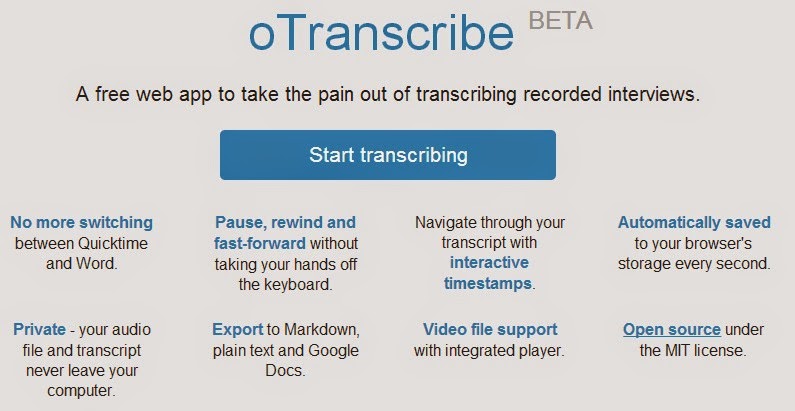
If you want to spend an audio file into text Get Easy Tips shows you the website otranscribe which allows transcribe voice in writing. oTranscribe is a great online tool that can be of interest to students, journalists, teachers and generally anyone who has to pass an audio message text. Its use is free, registration is not even necessary , provides a text editor to go making transcripts and an audio player to listen. It can be done faster or slower the audio to match the pace of writing and accepts mp3, ogg, webm, wav. Earn time with this tool that presents Get Easy Tips  and if you're interested in technology visit our website.


Continue Reading...

How to send an audio WhatsApp

Those responsible for WhatsApp shocked us all yesterday morning when suddenly, all users of the instant messaging application could send audio excellence with a simple push.


If you do not know how, in Get Easy Tips, we will explain step by step:

You need

  1. A smartphone with Internet access.
  2. WhatsApp.

  • Run WhatsApp and opens a conversation either.


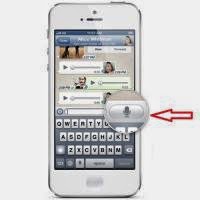
  • The box in which you type the message should now appear the icon of a microphone, hold it down to start recording your audio .


  • If you like, drop it and sent automatically.
  • If you have not achieved the results you expected, swipe to the left before releasing and recording it goes straight to the trash.


Continue Reading...

How to know who visits my Facebook profile

Before you start to know who visits your profile, you know how you see your Facebook profile other users ?


There are few users who have some time, joining a social network group, believed would get to find out in simple steps what people had been snooping on your personal profile on Facebook . However, this never happened because we simply can not benefit from these data as confidential as. However, there is something you can do for themselves to know who visits your Facebook profile more often ... Interested? Read on!


  • Open your session Facebook and go to the application page My Top Fans to get started. Accepts all permissions.


  • My Top Fans The application does not allow us to know, in a way, who has visited our Facebook profile , but it does provide us information about who comes regularly and users that interact more with us. To find out who your secret admirers , click the option that interests you. Later you can click back to any other.


  • Select the desired option twice repeatedly and accepts all application permissions.


  • After the short wait a minute, My Top Fans will give you a small list based on the frequency with which your contacts added visit your profile, along with their interaction with you.


Continue Reading...

Thursday, February 27, 2014

How to create an ad on Facebook

After postponing for a long time you've finally decided: you're going to make an advertising campaign on Facebook . You have talked about how well it works Facebook Ads if the ads are well thought out and you have everything ready . But when you really do not know where to start. How can you do to post an ad on the social network for excellence? In Get Easy Tricks we help, and we tell you how to create an ad on Facebook step by step.

get easy tricks

  • Go to this Facebook link and choose the kind of result that you want in your notice: most "like", conversions, interaction, etc..
  • The next step will be different depending on what you choose. In this case we have chosen to "Like" the page, so if you are managing more than one page, you have to select which one you want.
  • Then you can go edit the ad. In stock , you can choose the computer, Facebook or bookstore Shutter stock photos you want me to illustrate your ad . You can choose up to six ads are different (not why you pay more).
  • Then you can edit the text and links: the title you want him to have the advertisement and text. Also, you can preview it on the right to learn how to appear in the news section of the computer, in the right column and in the news section of the phone.
  • The next step is one of the most important: the selection of the public , the users you want to be shown the ad. You can filter by location, age, sex, language and other demographics as interest or relationship status. Also, you can choose whether you want to be shown only to users who are not yet fans. In "More Categories", you have plenty of options for targeting more advanced. To the right you will see what is the scope of potential ad you are creating.
  • In Campaign is where you select what you want to be the budget: either daily or full (when it reaches that money spent for the campaign). You can also set the dates of the campaign.
  • Almost have created the ad. In Bid prices and you can choose how you want to optimize Facebook ad: if for the purpose, whether to get more clicks or impressions. When you have everything ready, click on "Review Order" to take a final look.
  • Go over that is all well and when you are sure, click "Checkout".
  • You will have to enter the password for your Facebook account. Do it and click Continue.
  • You've created your ad on Facebook! Now you just have to wait for approval of the social network, and the campaign will run.
Continue Reading...

Sunday, February 16, 2014

Making invitation cards using Microsoft Word

There is something special in the invitation cards made by you. Microsoft Word comes with many templates invitation cards that you can use to make your own cards for weddings, births or business meetings. You can use Microsoft Word template as is or you can modify the colors, images and words to make yours.


Instructions


1

Open Microsoft Word and click on the Office button which is shaped like a pizza placed in the right corner of Word. Select "New" (New) in the top menu. This opens a new document. In the task pane on the left, select "Invitations" (Invitation). Half the task pane will change to the type of invitation templates that are available for your computer and from the Microsoft Office Online website, including business invitations, wedding and generic.


2

Click on 'Party Invitations' (party invitations) to see a list of sketches of party invitation cards. You can scroll down to see available invitations. When click in any sketch of invitation, the right task pane changes so you can see who facilitates the invitation, the size of the file and how is downloading. You can also see the rating other users have given the invitation.

3

Select the sketch invitation to party blue and purple. This template is made by Microsoft, has 30 kilobytes and has a four star rating. Click on "Download" (Download) to open the template on your computer. This template contains two cards for retouching.


4

Scroll to page 2 and click on the Event Description field (Event description) to complete your personal information. You can press the Tab key to move to the next field or clicking can in the date field to fill in details of your event date. Complete details of your event invitation on both cards.


5

Save your invitation by clicking the Office button and then "Save" (Save). Enter a name for your party invitation and click "OK".


6

Print your invitation by clicking the Office button and then click 'Print'. You must print your invitation on a single piece of paper card. Many printers do not have the ability to automatically print on both sides of a sheet of paper, called duplex-er. To make this print manually, click on the check box for Manual Duplex in the picture of dialog of 'Print' below the button 'Find Printer' (find printer) on the right side. This will indicate to the printer that you want to print your invitations on a single piece of paper. Click on 'OK'. In manual two-sided printing, when the page is printed you will have to put the same page again in your printer so you can print on the other side. This requires that you return to direct page to print correctly on the other hand, it will take a little practice.


7

Cut your invitations with scissors when they are printed, then fold them.


Tips and Warnings


  • If you want to change the color or text any template, simply click twice on the image or the text within the template. Clicking twice active tab of the drawing tools. You can choose different colors, delete items or add them to any template.
  • If you want to print the invitation using the same colors you see on your screen, you'll need to use a color printer.
  • You can also make invitations with earlier versions of Word.


Continue Reading...

Saturday, February 15, 2014

How to see which application is blocking the PC to enter sleep mode

Have you ever waited for your PC enters sleep mode only to return and find that it is still on? It's happened at some point, here's how to check which application keeps your PC running.


Press the key combination Win + X or click the bottom left corner of the screen to display the menu Tools for Windows , then start the administrator commands.

Once that opens, type the following command:

powercfg / requests

Then you can see which applications block your PC to enter sleep mode.
Continue Reading...